Built to be opened in a hallway.
A native iOS app backed by a secure cloud database.
One question, answered at a glance.
The dashboard is scoped to exactly the buildings a Regional VP and their team are assigned to oversee, and answers one question: which buildings need attention today.
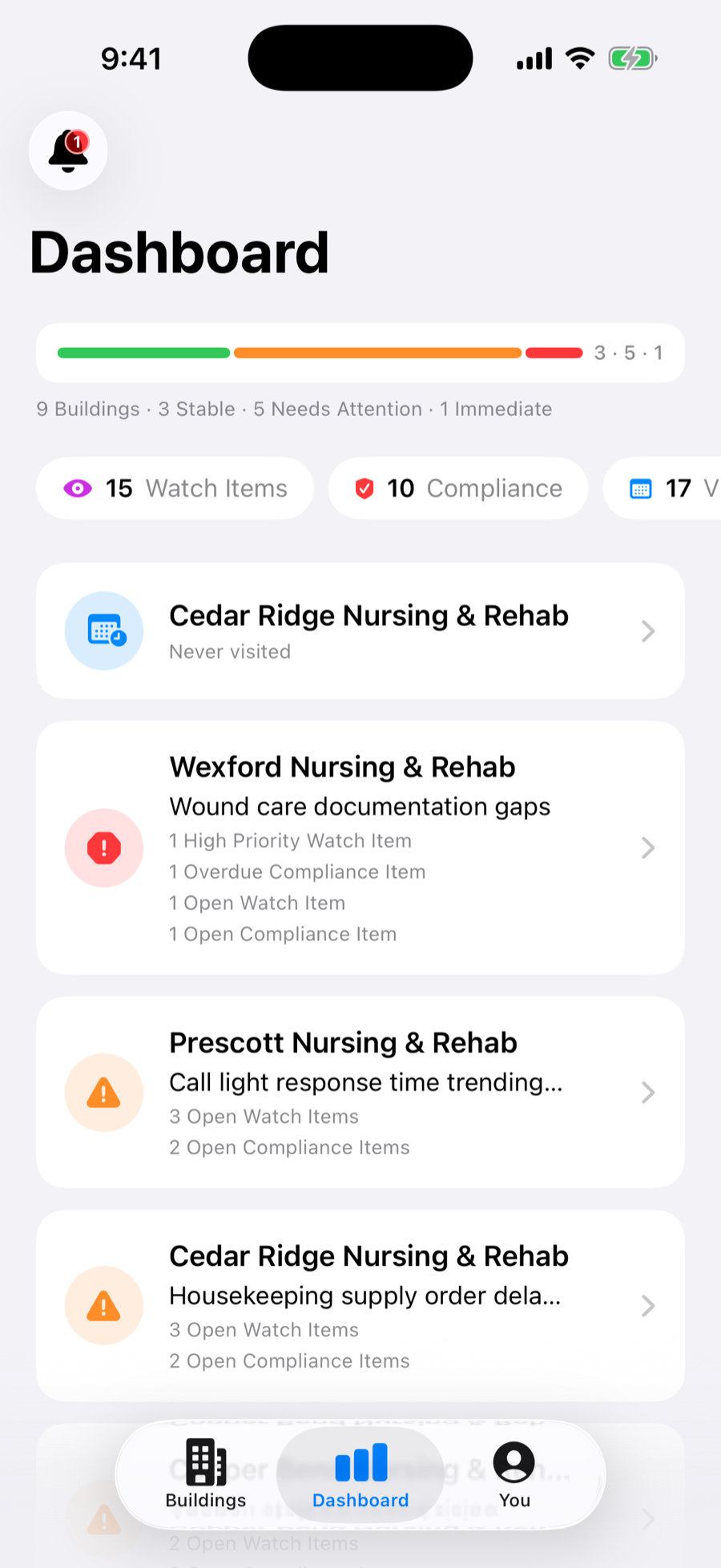
A Buildings view with a card for every facility, showing status at a glance.
Scoped per person — you only see the portfolio you’re responsible for.
A single status bar rolls the whole portfolio into Stable, Needs Attention, and Immediate.
One tap into rolled‑up counts for open Watch Items, Compliance Items, and upcoming Visits.
Everything about one building, in one place.
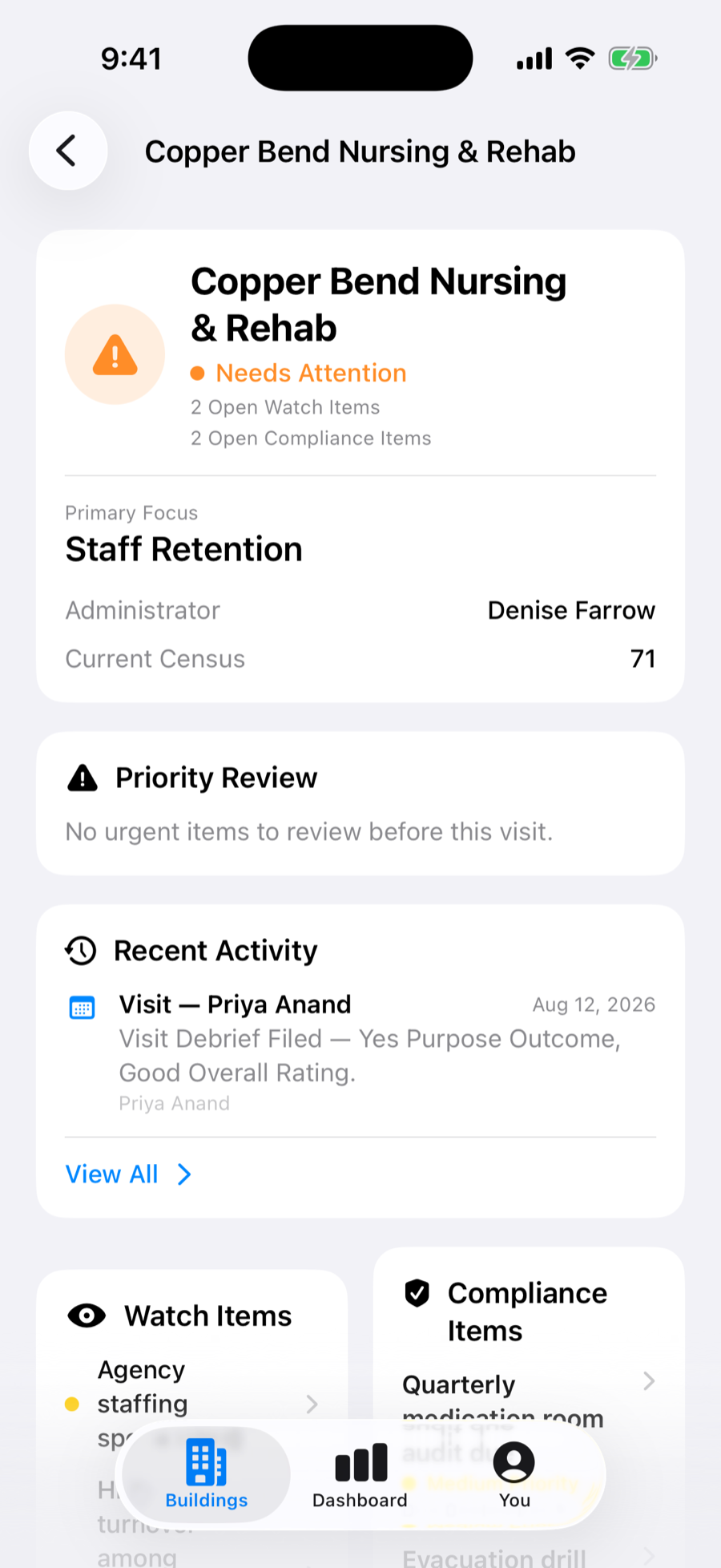
Priority, owner, due date, and a running log of updates until resolved.
The same structured tracking, applied to compliance‑specific concerns.
A record of staff worth calling out between visits.
Full visit history for the building, each with a structured debrief.
Everyone can see who’s going where.
Schedule a visit at any building: pick the date and the type of visit, assign it to yourself or a teammate, and leave notes for whoever is going.
Scheduled visits appear on a single Upcoming list, grouped into Today, Tomorrow, This Week, Next Week, and Later. Anyone with access to a building can see who is going and when, so two people don’t turn up the same morning and a building nobody claimed doesn’t get assumed away.
A visit can be scheduled for yourself or assigned to a colleague, with a purpose attached: quarterly review, survey prep, staffing review, new administrator onboarding, and the rest. The person it lands on gets notified.
The dashboard calls out the building that has gone longest without a visit, including any that have never been visited at all. The buildings that go missed are the ones nobody is thinking about, so FunctionOps does the thinking.
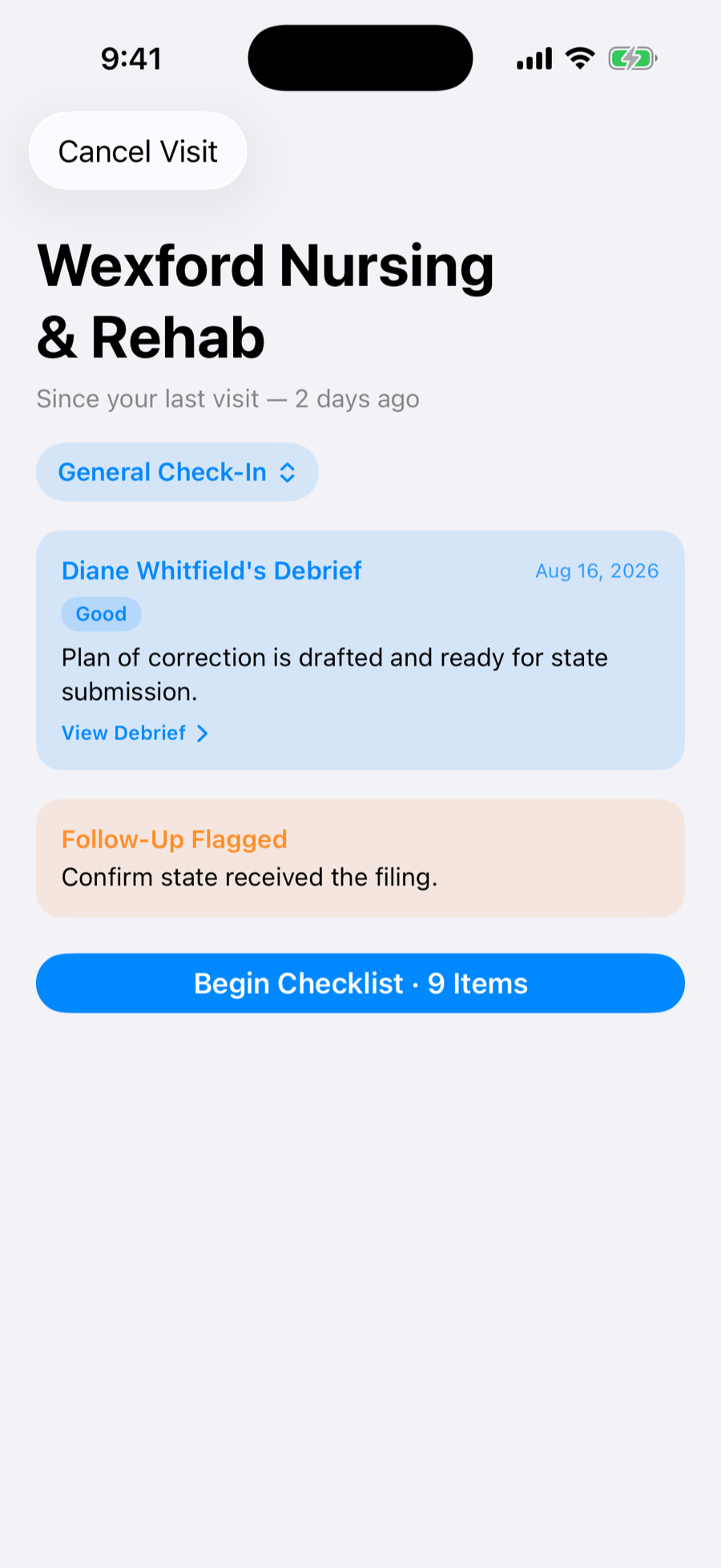
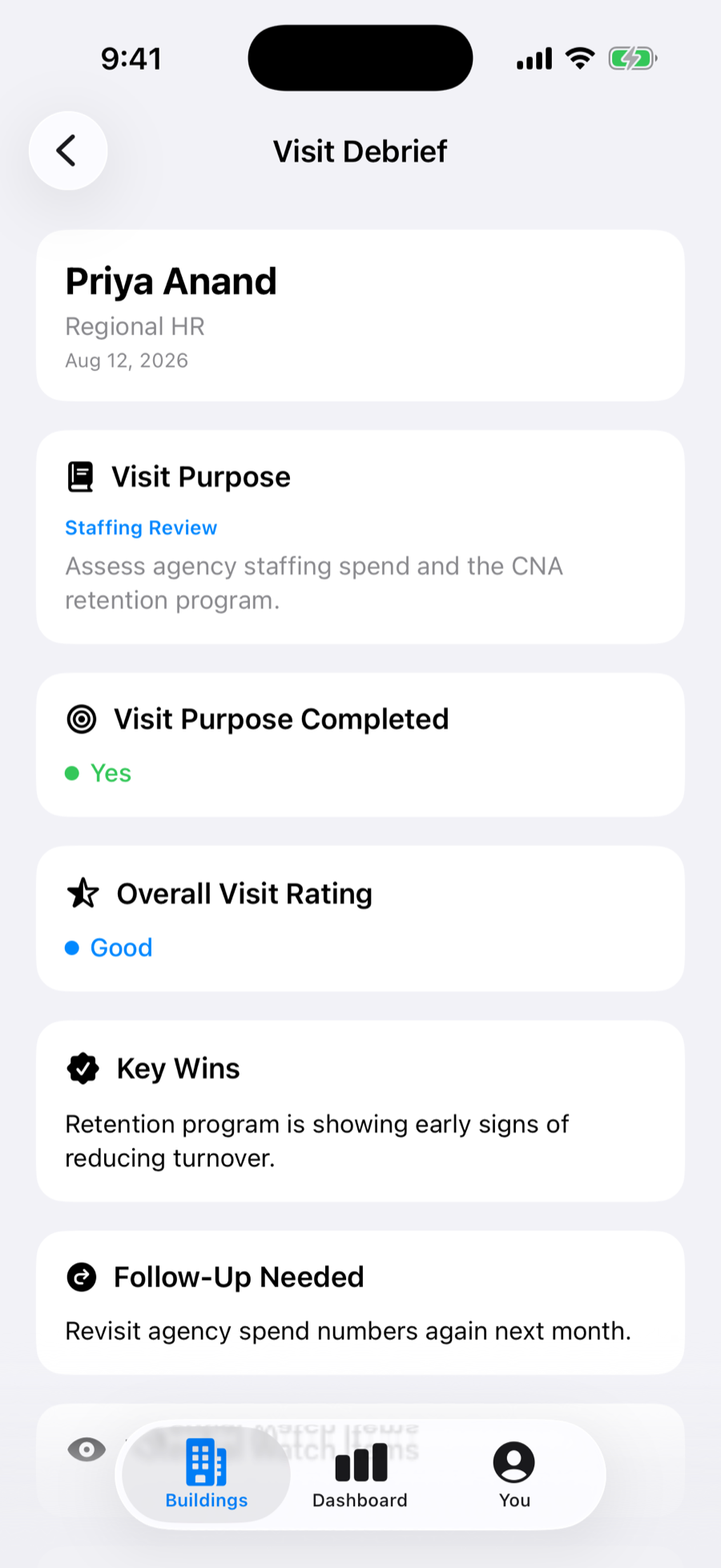
A scheduled visit becomes your briefing when you arrive and your debrief when you leave, and then stays on the building as permanent history.
How a visit runs.
Know what to check before you arrive
A briefing pulls together open items and context for the building you’re about to visit.
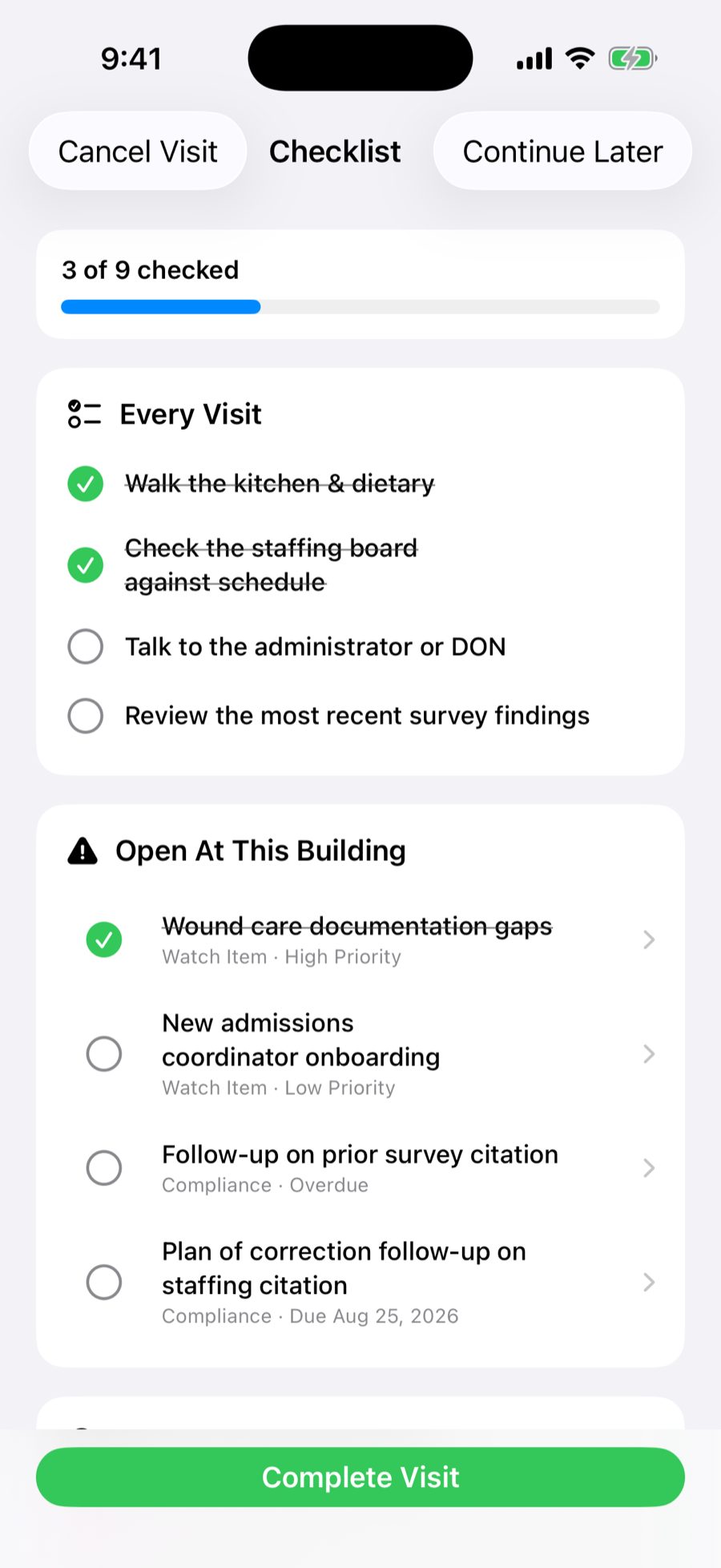
Work through it on‑site
A guided checklist keeps the visit structured and consistent, building to building.
Capture the outcome
Rating, key wins, and follow‑up — debrief notes can turn directly into new Watch Items or Recognitions.
How it works day to day.
A native app built to be opened mid‑walkthrough, one‑handed, without a laptop nearby.
Log a Watch Item in one building and it’s visible on the portfolio dashboard before you leave the parking lot.
Accounts and building access are provisioned by an administrator, not by self sign‑up.
Face ID gets you into a building’s data in a glance, no password to type in a hallway.
Facility data is sensitive, and it’s treated that way.
FunctionOps is hosted on Supabase, running on AWS infrastructure that is SOC 2 Type II certified. All data is encrypted in transit and at rest.
Every read and write is scoped by Row‑Level Security policies enforced directly at the database layer, not just checked in the app UI. Privileged operations run through server‑side functions with their own authorization checks, never trusted to the device alone.
Login sessions are tied to the originating device, so a stolen or copied session token can’t be replayed elsewhere.
FunctionOps is single‑tenant per customer. Your building and staff data is never pooled, aggregated, or shared across organizations.
FunctionOps is designed for internal operations tracking, not clinical or health‑record data, and is not HIPAA‑compliant. It is currently in beta and is not yet SOC 2–audited as a standalone product. If your organization has specific compliance requirements, reach out and we’re happy to walk through our current posture and roadmap.
Questions we hear most.
Who is FunctionOps for?
FunctionOps is built for Regional VPs and their regional teams — anyone responsible for overseeing a portfolio of nursing and rehab facilities who needs one consolidated view of what’s happening across every building.
Is FunctionOps available on Android or the web?
Not at this time. FunctionOps is a native iOS application, and iPhone is the only platform we plan to support for the foreseeable future.
How do I get an account?
There is no public sign‑up. Accounts are provisioned by an administrator once your organization has been onboarded as part of the beta program.
What does it cost?
FunctionOps has not yet launched beta access, and pricing has not yet been finalized. Beta participants will be included directly in that conversation as we approach general availability.
When will the beta launch?
We haven’t set a fixed launch date yet — we’re gauging interest and plan to open beta access to a limited number of organizations soon. If you request access, we’ll follow up with more details.
Does FunctionOps store resident or patient health records?
No. FunctionOps is designed for internal operations tracking — watch items, compliance tasks, and staff recognition — not clinical or resident health records, and it is not built to be HIPAA‑compliant.
Does FunctionOps work offline?
Offline support for buildings with poor connectivity is in active development. Today, FunctionOps requires a data or Wi‑Fi connection to load and sync.
Can more than one person at a building use FunctionOps?
Not by default today — FunctionOps is built around the Regional VP and their regional team. Multi‑user access at the building level (administrators, DONs, etc.) can be added for organizations that need it.